
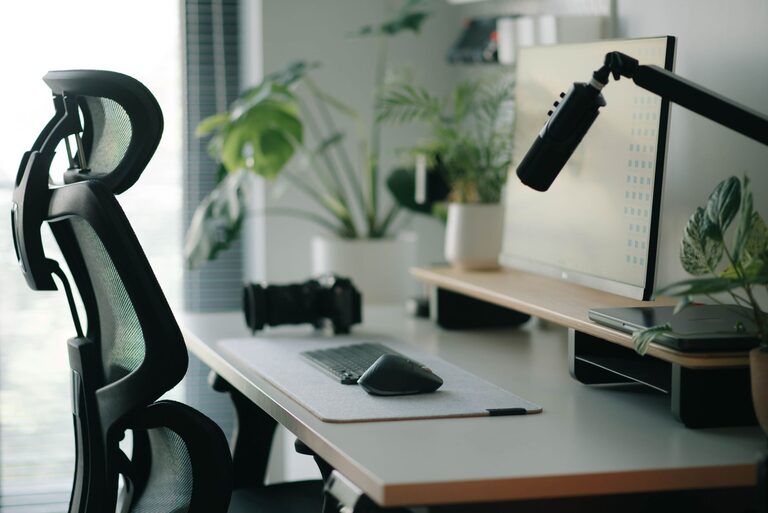
Creating a desk setup that promotes both focus and comfort can transform your work experience. Whether you’re working from home or in an office, having a well-organized and ergonomic workspace helps reduce distractions, improve posture, and increase productivity. In this post, we’ll explore practical tips to design a desk setup that supports your tasks and well-being.
Why Your Desk Setup Matters
Your workspace affects how you feel and perform throughout the day. A cluttered or uncomfortable setup can lead to distractions, fatigue, and even physical strain. Conversely, a thoughtful desk setup can help you stay focused, reduce stress, and maintain energy levels.
Choosing the Right Desk and Chair
Desk Height and Size
– Ideal Height: Your desk should be at a height where your forearms are parallel to the floor when typing or writing. Standard desk height is usually around 28-30 inches.
– Adequate Surface Area: Choose a desk that fits your needs without crowding. It should comfortably hold your computer, monitor, keyboard, and other essentials with some extra space to avoid clutter.
Ergonomic Chair
– Adjustability: Select a chair with adjustable height, lumbar support, and armrests. This customization helps maintain good posture throughout the day.
– Comfort: Look for cushioning that supports your lower back and encourages sitting upright without strain.
Monitor Placement and Screen Setup
– Eye Level: Position your monitor so the top of the screen is at or slightly below eye level. This reduces neck strain and helps maintain a natural gaze.
– Distance: Keep the screen about an arm’s length away (roughly 20-30 inches) to reduce eye fatigue.
– Multiple Screens: If using more than one monitor, align them side-by-side at the same height to avoid turning your head excessively.
Keyboard and Mouse Positioning
– Keep Them Close: Place your keyboard and mouse close enough to avoid overreaching. Your elbows should remain near your body and bent at about a 90-degree angle.
– Use a Wrist Rest: Consider wrist supports to keep your wrists in a neutral position and prevent strain.
Lighting Your Workspace
– Natural Light: Position your desk to receive natural daylight without glare on your screen. Natural light can boost mood and focus.
– Task Lighting: Use a desk lamp with adjustable brightness to reduce eye strain during darker hours or detailed work.
– Avoid Harsh Overhead Lights: Soft, indirect lighting helps create a calm, comfortable environment.
Organizing Your Desk for Focus
Declutter Regularly
– Keep only the items you need daily on your desk. Clear away unnecessary papers, gadgets, or décor to minimize distractions.
Use Organizers
– Use trays, drawers, or desktop organizers to store office supplies neatly. This makes it easier to find what you need and keeps the surface tidy.
Cable Management
– Use cable clips, ties, or under-desk trays to keep cords untangled and out of sight. This creates a cleaner, safer workspace.
Personalizing Your Space
– Add Plants: Small plants can improve air quality and add a touch of nature, which may enhance concentration.
– Inspirational Items: Include a few personal items like photos or motivating quotes, but avoid overcrowding your desk.
– Comfort Items: Consider a small cushion or footrest if it helps improve posture and comfort.
Breaks and Movement
– Even with a perfect desk setup, remember to take regular breaks. Stand up, stretch, or walk briefly every hour to reduce tension and boost circulation.
Final Thoughts
A desk setup designed with focus and comfort in mind strengthens your ability to work efficiently and comfortably. By paying attention to ergonomics, lighting, organization, and personalization, you create a workspace that supports your goals and well-being. Try implementing these tips step-by-step and adjust your setup until it feels just right for you.
Creating an effective desk setup is a key step toward a productive and pleasant workday. Your body and mind will thank you!